
Nitroflare Premium Review: My Real Download Speed Tests
I tested Nitroflare as both a free user and a Premium user instead of relying on advertised “maximum speed” claims. Below are the actual results from Chrome and JDownloader 2, including single-file and parallel downloads.
Short version: the difference was substantial. My free download ran at 18.4 KB/s. Premium reached 12.5 MB/s on one browser download, around 42.3 MB/s across four browser downloads, and about 50.17 MiB/s in JDownloader 2.
Nitroflare Free: The Waiting Process
The first limitation appears before the file even starts. During my free-user test, Nitroflare presented a waiting countdown before allowing the download to continue.
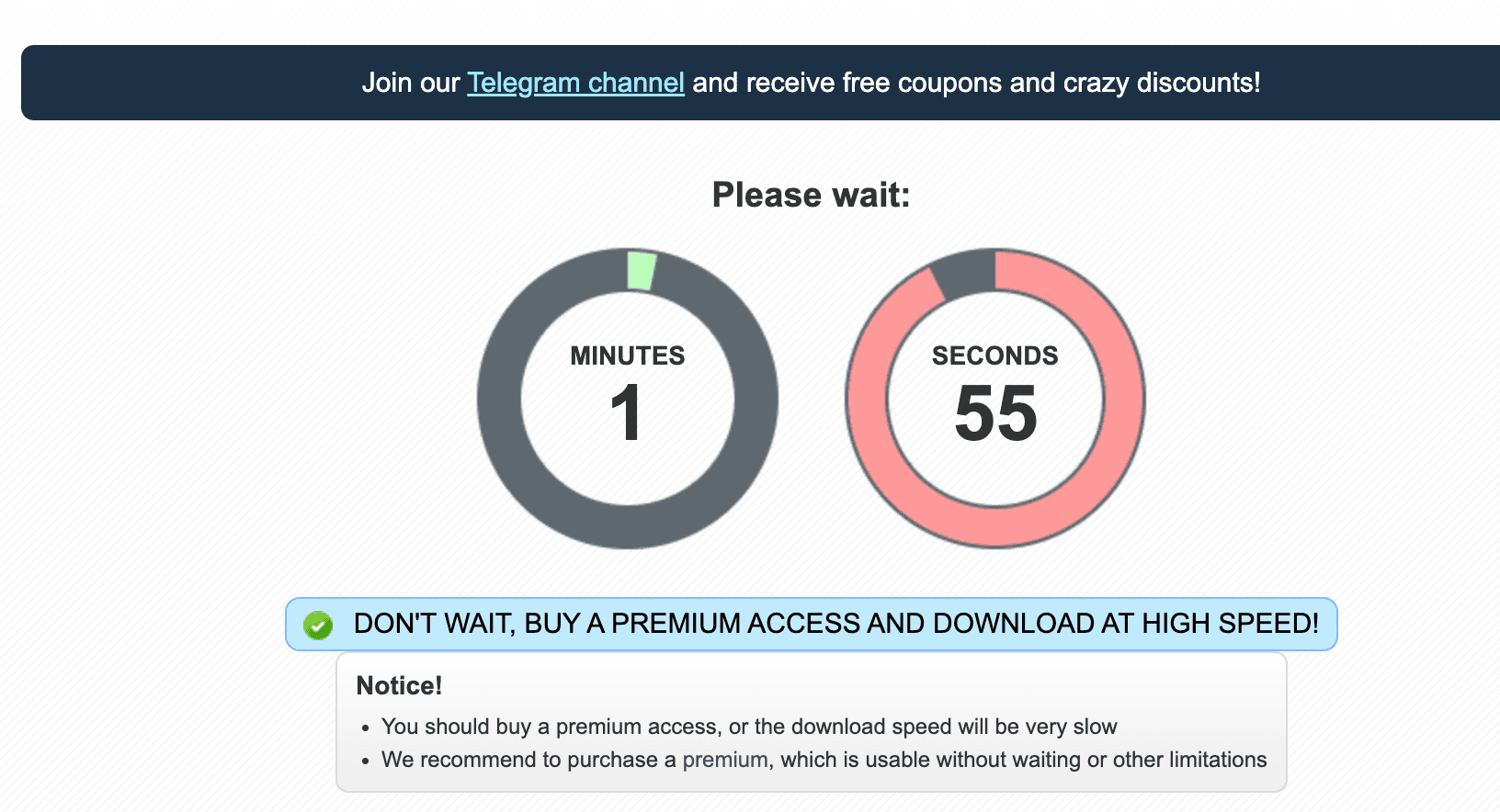
For a single occasional download this is mostly an inconvenience. It becomes much more frustrating when you have several Nitroflare links to process.
Free Download Speed: 18.4 KB/s
The bigger problem was the actual transfer speed. My 767 MB test file downloaded at only 18.4 KB/s. Chrome estimated that the file would take approximately 12 hours to finish.
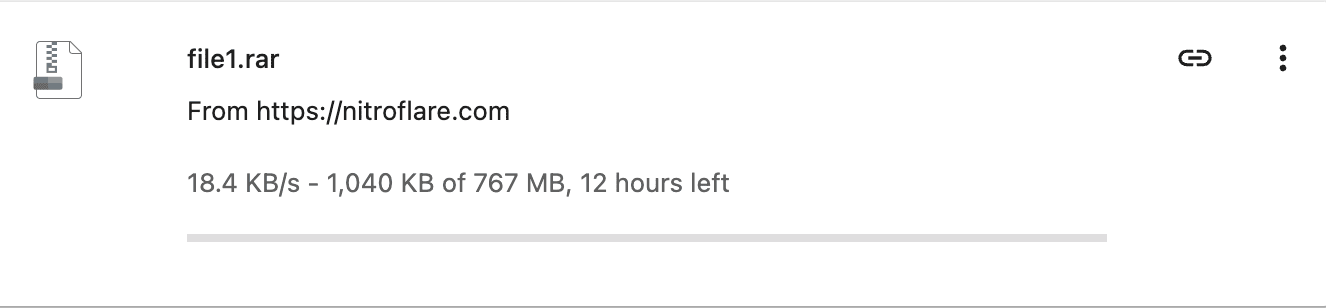
This is why I would only consider Nitroflare Free practical for small or infrequent downloads. Once files reach hundreds of megabytes, download time becomes the main limitation.
Premium Single-File Browser Test: 12.5 MB/s
I then repeated the test while logged into a Nitroflare Premium account. A 1.1 GB file downloaded directly through Chrome at 12.5 MB/s.
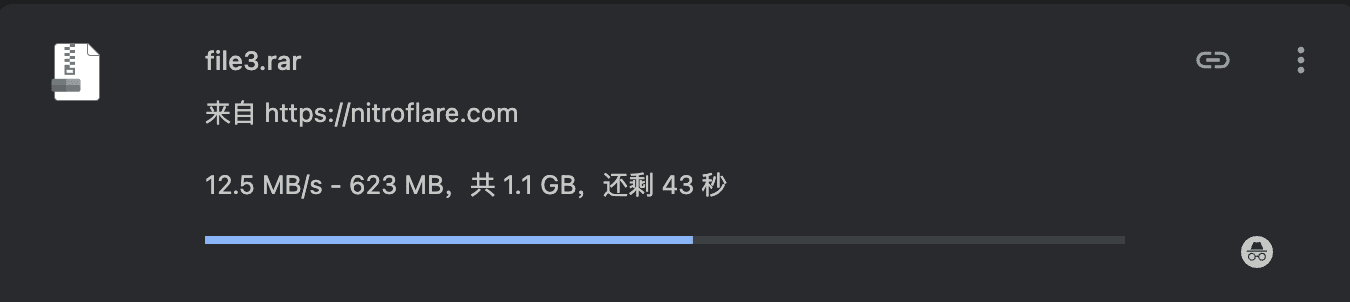
The practical difference is easy to see: instead of measuring the download in hours, a file around 1 GB can complete in well under two minutes when the connection and Nitroflare server allow this level of throughput.
Four Parallel Browser Downloads: About 42.3 MB/s
A single-file test does not tell the whole story because many Nitroflare downloads are distributed as multi-part archives. I therefore started four Premium files simultaneously in Chrome.
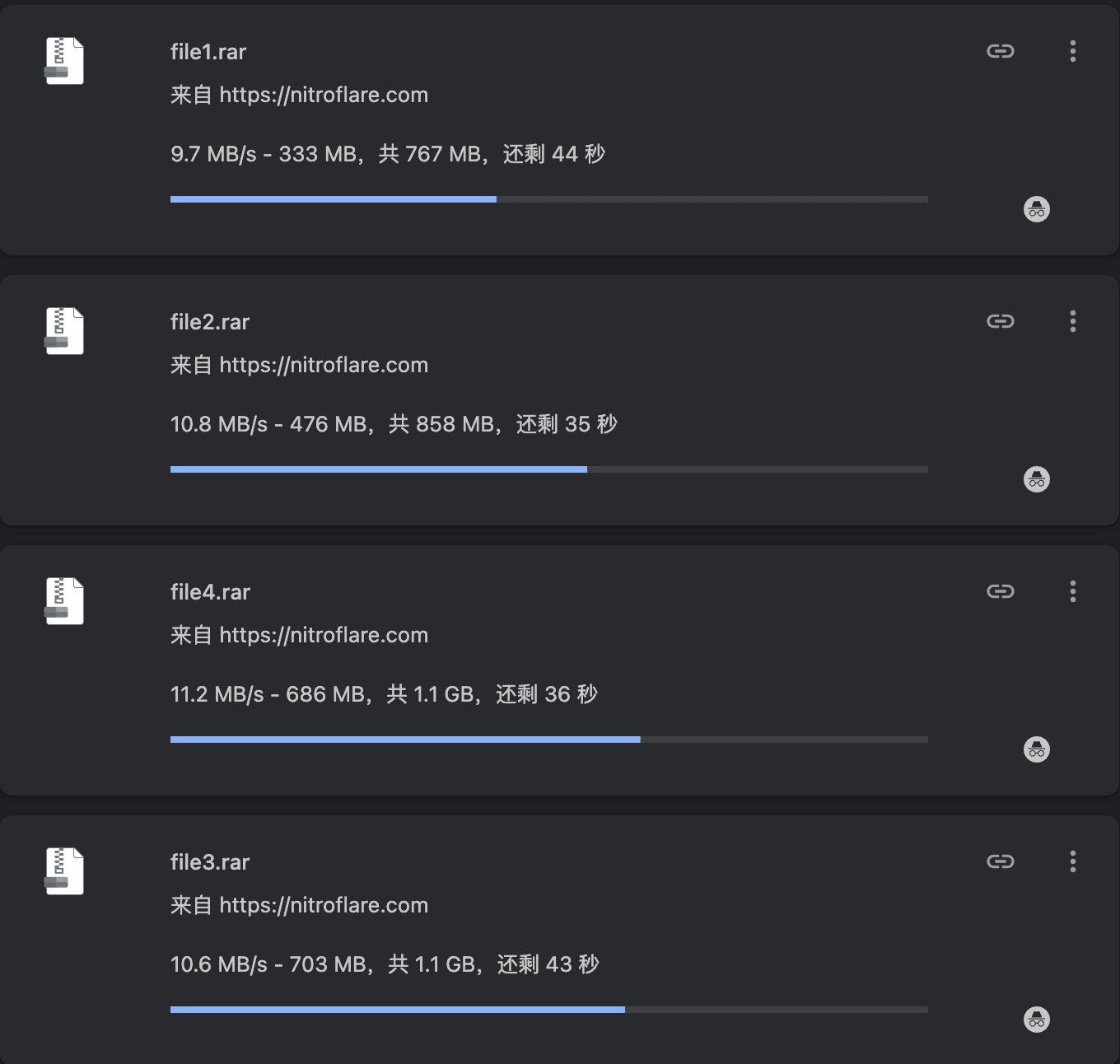
Combined, those four transfers add up to roughly 42.3 MB/s of total browser throughput — well beyond what any single Chrome download achieved on its own. This result shows why parallel downloading can matter more than chasing the maximum speed of one file.
JDownloader 2 Test: About 50.17 MiB/s
For larger batches, I also tested the Premium account with JDownloader 2. JD2 handled the same type of multi-file workload while opening multiple connections automatically.
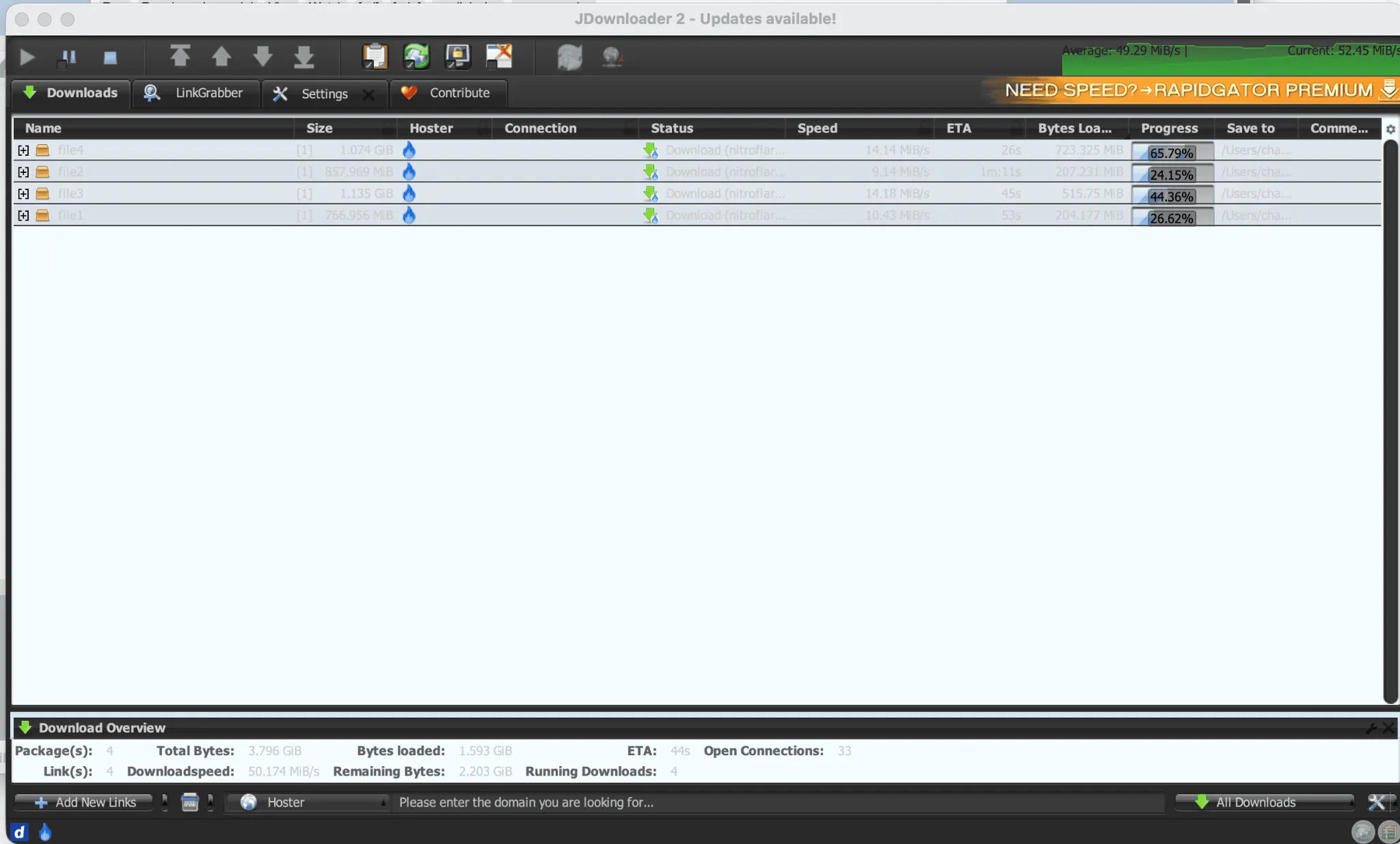
The displayed total reached 50.174 MiB/s, and the average reading at that point — around 49.29 MiB/s — confirms this was not just a brief spike. Chrome reports MB/s while this JDownloader screenshot reports MiB/s, so the figures should not be treated as identical units.
My Test Results
| Test | Result | What It Shows |
|---|---|---|
| Free browser | 18.4 KB/s | Very slow for large files |
| Premium browser, 1 file | 12.5 MB/s | Good single-file performance |
| Premium browser, 4 files | ≈42.3 MB/s total | Parallel downloads scale well |
| Premium JDownloader 2 | ≈50.17 MiB/s | Best result in my normal download tests |
Is Nitroflare Premium Worth It?
For a tiny file that you only need once, probably not. The free option costs nothing and may be enough if time does not matter.
For larger files, the answer changes. A 767 MB download showing 12 hours remaining on Free versus multi-megabyte-per-second Premium transfers is not a minor convenience upgrade. If Nitroflare is a host you use regularly, Premium mainly buys back time.
I would especially consider Premium when downloading multi-part archives. My four-file Chrome and JDownloader tests both show that Nitroflare can make effective use of parallel transfers.
What These Tests Do Not Guarantee
Download speed can vary by file server, time of day, geographic location, ISP routing and your own connection. My results show what Nitroflare delivered during these tests; they are not a promise that every user will receive the same speed.
If you want to choose a plan, the next thing to check is not speed but traffic allowance. Nitroflare Premium plans have different daily limits, so compare them before paying for a longer subscription.
Test disclosure: Results on this page come from my own Nitroflare download tests. Speeds can vary. Affiliate links may earn this site a commission without increasing your purchase price.